Project Progress - Week 10
- Nur Adlinlina Azmir

- Jul 3, 2020
- 2 min read
Objective in week 10:
1) Designing and configuring an internal network uses a private virtual network in Virtual Box.
2) Setting static addressing and networking for server and client.
First, create two virtual machine. One named as Debian Server which act as a server and another one is Debian Client act as a client.

Task 1: Configuring Network Settings
At Server:
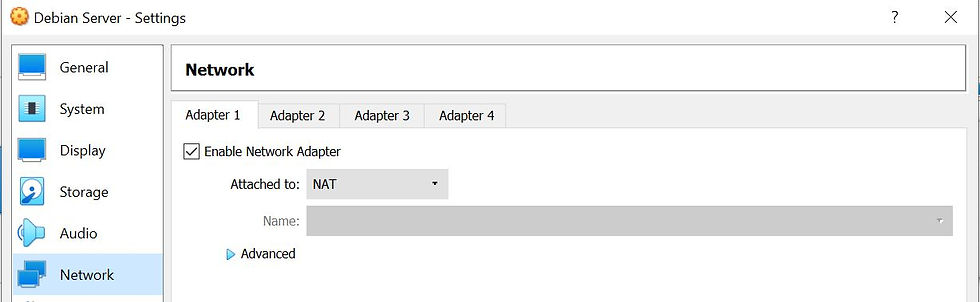
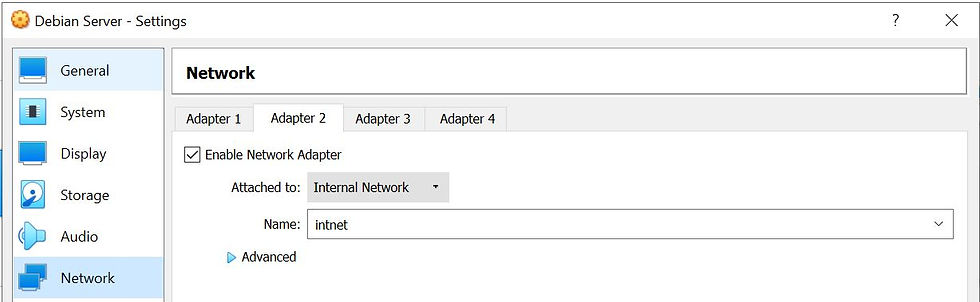
Adapter 1 (enp0s3) is attached to NAT network by default while for Adapter 2 we need to enable the network and choose internal network that will attached to (enp0s8).
At Client:
Adapter 1 (enp0s3) is attached and changed it from NAT to internal network.

Task 2: Configuring Static IP Address
At Server:
Modify the interfaces file first by insert this following command;
- sudo nano /etc/network/interfaces
Then in the nano, you need to add the following script that highlighted in the picture;

After that we reboot the setting by executing this command; or you can simply restart your debian.

Done reboot, we need to check for the IP address to ensure that it is successfully configured.
We can identify that the host IP address and broadcast address for enp0s8 had followed the lines inserted into the interfaces file earlier. use the following command;
- ip address show

At Client:
Just repeat the steps above for adapter 1 (enp0s3) at client. But only replace address to 192.168.1.10
For example in sudo nano; you can see the underlined one need to be changed.

Then check the IP address and network setting. We can identify that the host IP address and broadcast address for enp0s3 had followed the lines inserted into the interfaces file.

You also may check the network settings from the GUI:

At Server.

At Client.
Task 3: Testing the Connectivity between Server and Client.
At Server:
Ensure you can connect to the internet. Open firefox web browser and open any website.

At Client:
Execute the following command;
- ping 192.168.1.254

Make sure after you execute the command you get the output as in the above image. To stop the execution press ctrl+c.

Comments