Project Progress - Week 12
- Nur Adlinlina Azmir

- Jul 3, 2020
- 1 min read
Objective in week 12:
1) Setting up simple web application and testing.
Apache Installation
At Server:
Install the Apache HTTP server, which is a free and open-source cross-platform web server in the server.

Then, we check the status of Apache Webserver to ensure that the service is running. We can identify that the green 'active running' shown as the service is actively running.

Verify Apache HTTP Web Server
At Server:
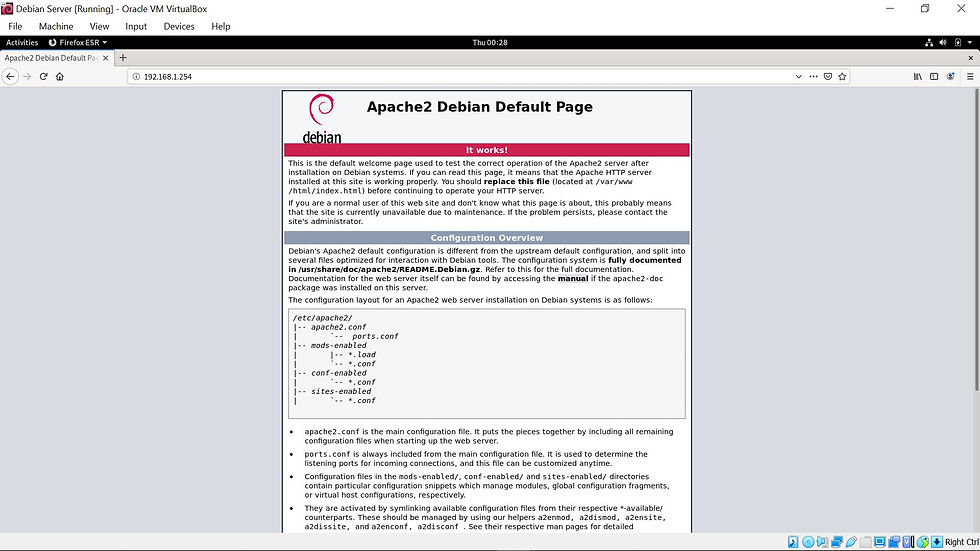
For the next step, we open Firefox and browse our server's IP address. A second later, we have entered the Apache Debian Default Page as shown below.
Configuring Apache Web Server
At Server:
Now, we will host a single site by modifying the index.html file located in the webroot directory.
Firstly, we make a backup of the file index.html. After backup the file, we create a new index.html file as below;

In the nano box, we can add some HTML sample.

Then, save and exit. Restart the web server by this command.

Now we can check the creation earlier, by reload the web browser and we could see the changes at our new site.

Testing Through Client
At Client:
In client, we try to access a web page at the server side that we made previously.
By inserting the server IP address via Firefox, we have successfully accessed the server web page.


Comments